
Solution Overview
The Queue Management System is an advanced solution combining computing, networking, multimedia, and communication technologies. It replaces the traditional practice of customers standing in line at service counters with automated queue management.
Application Scenarios
Secure & Trusted IT: Domestic Queue Management System
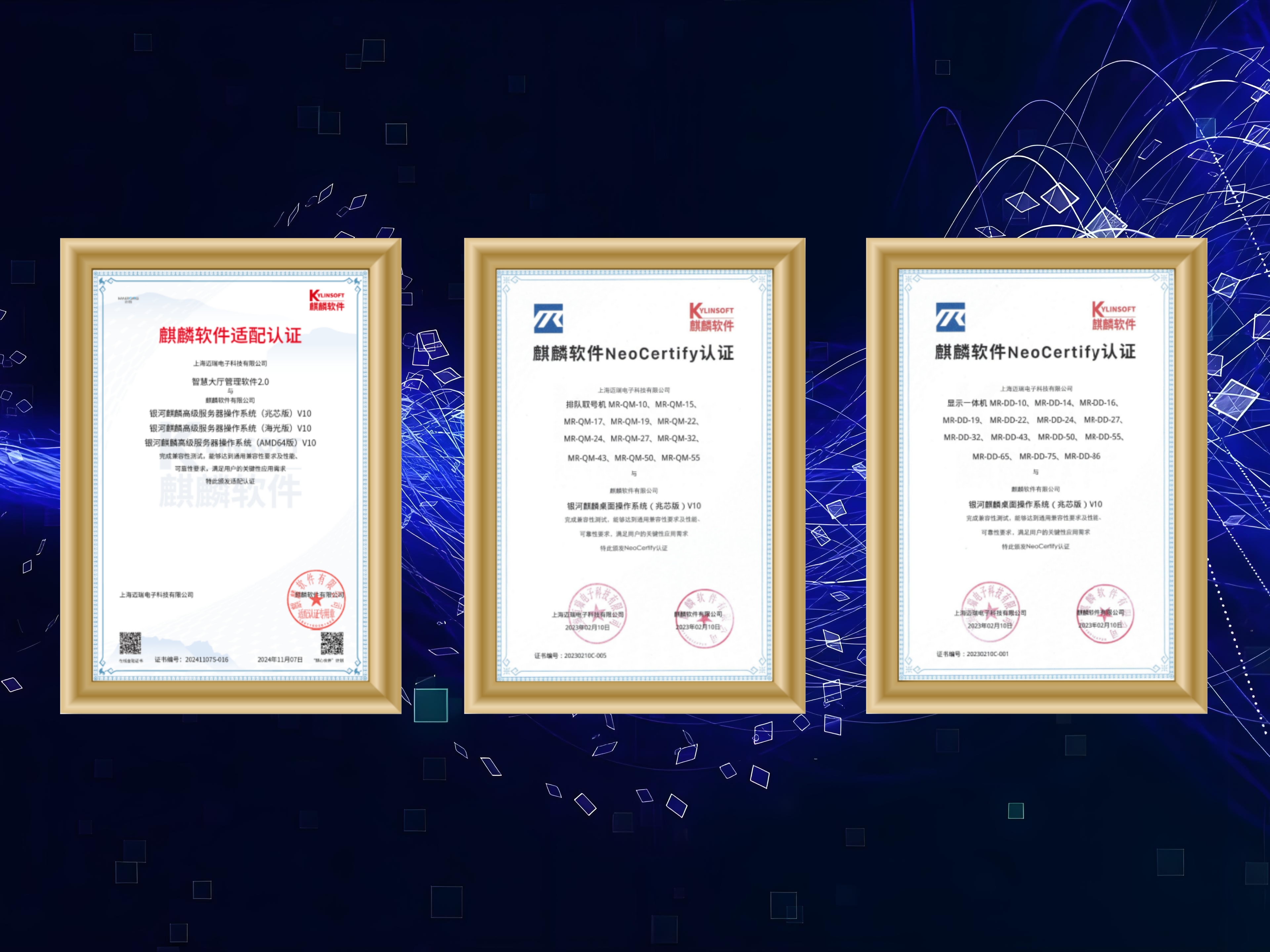
We Have Fully Completed Domestic IT Optimization
We have extensively refactored and optimized our existing software to ensure compatibility with domestic operating systems and databases. We have also completed preliminary compatibility and cross-certification with major domestic infrastructure vendors. To comply with the trusted computing requirements of Classified Protection 2.0 (MLPS 2.0) for domestic servers, PCs, and peripherals, we have built a root of trust based on domestic CPUs and peripherals, running on domestic operating systems to create trusted hardware products. Currently, our hardware products—including ticketing kiosks, interactive touch terminals, self-service kiosks, and digital signage and calling devices—now support domestic chips such as Phytium, Loongson, Zhaoxin, and Kunpeng, and are fully compatible with Kylin, NeoKylin, and UOS desktop operating systems.
- Fully compatible with domestic operating systems to create trusted hardware products.
- Supports domestic chips including Phytium, Loongson, Zhaoxin, and Kunpeng.
- Fully compatible with Kylin, NeoKylin, and UOS desktop operating systems.
Domestic IT Queue Ticketing Terminal
The Domestic IT queue ticketing terminal features domestic motherboards and chips such as Zhaoxin or Phytium, runs on domestic operating systems such as Kylin and UOS, and seamlessly integrates with our domestic queue system. Available in 22", 32", 43", and other custom sizes; please select based on actual requirements. The equipment consists of an industrial-grade host and a shatterproof touch screen. It features scheduled automatic power on/off and can be configured with optional modules such as a 2nd-generation ID card reader, IC card reader, magnetic stripe card reader, facial recognition camera, or QR code scanner.
- Supports domestic operating systems such as Kylin and UOS.
- Customizable sizes available; please select based on actual requirements.
- Optional modules include a 2nd-generation ID card reader, IC card reader, magnetic stripe card reader, facial recognition camera, or QR code scanner.


Domestic IT Queue Display Terminal
The Domestic IT display terminal features domestic motherboards and chips, runs on HarmonyOS, and is fully compatible with the domestic queue system. It is primarily used to display queue calling reminders for all counters or counters within a specified area. Depending on the scenario, it supports various animations and layout options for content display, and can play audio and video content on a loop when idle.
- Features domestic motherboards and chips, runs on HarmonyOS, and is fully compatible with the domestic queue system.
- Supports various animations and layout options for content display depending on the scenario.
- Can play audio and video content on a loop when idle.
System Features and Advantages
Server platform support: Supports common Windows/Linux platforms, as well as domestic operating systems such as Kylin, UOS, Deepin, and OpenEuler. Database support: Supports databases such as MS SQL Server, PostgreSQL, MySQL, TDSQL, Dameng, GBase, and KingbaseES. Microservices architecture: Decomposes a monolithic application into a suite of small applications that can be independently developed, deployed, tested, and operated, communicating with each other via lightweight, standard mechanisms.
- Supports common Windows/Linux platforms, as well as domestic operating systems such as Kylin, UOS, Deepin, and OpenEuler.
- Supports databases such as MS SQL Server, PostgreSQL, MySQL, TDSQL, Dameng, GBase, and KingbaseES.
- Decomposes a monolithic application into a suite of small applications that can be independently developed, deployed, tested, and operated, communicating with each other via lightweight, standard mechanisms.
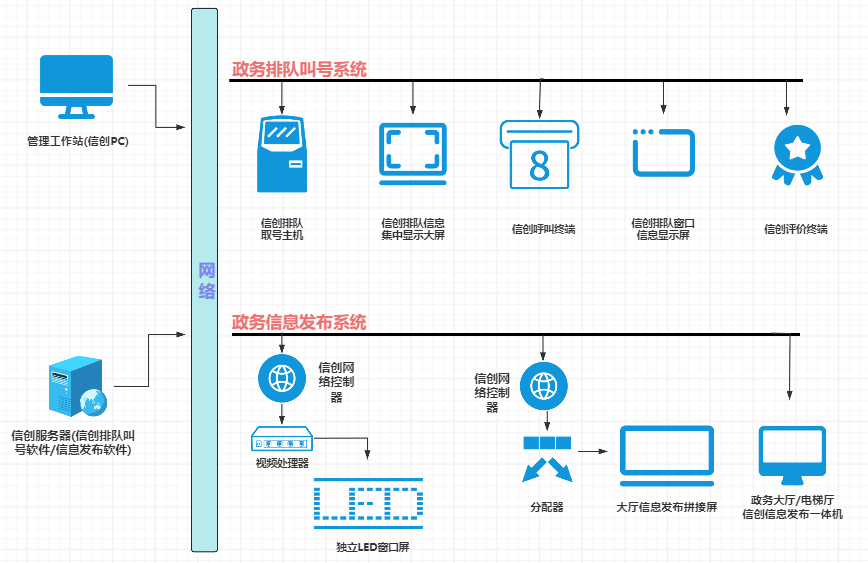
Common Function Modules
The commonly used functional modules for solution customers are as follows.
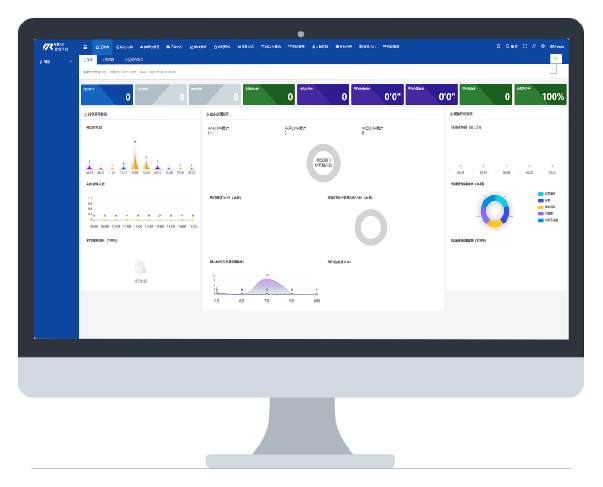
Queue Management Module
The Queue Management Module is a core function in the service hall, responsible for managing hardware and software devices such as self-service ticketing kiosks, counter displays of various specifications, and counter staff call terminals. It provides an equitable queuing environment for service users and priority queuing functions for special groups.
- Supports verification via facial recognition, 2nd-generation ID cards, medical and social security cards, and various health codes.
- Compatible with LCD all-in-one terminals, standard LED displays, full-color LED displays, and transparent LED displays.
- Provides integration for software-based call terminals, touchscreen call terminals, and wireless/wired keypad callers.
- Supports appointment check-in and ticket generation, providing paperless ticketing.
- Provides ticket quota functions, allowing number allocation planning based on time slots.
- Supports silent queuing, sending notifications via SMS or WeChat Official Account messages.
Counter Evaluation Interaction Module
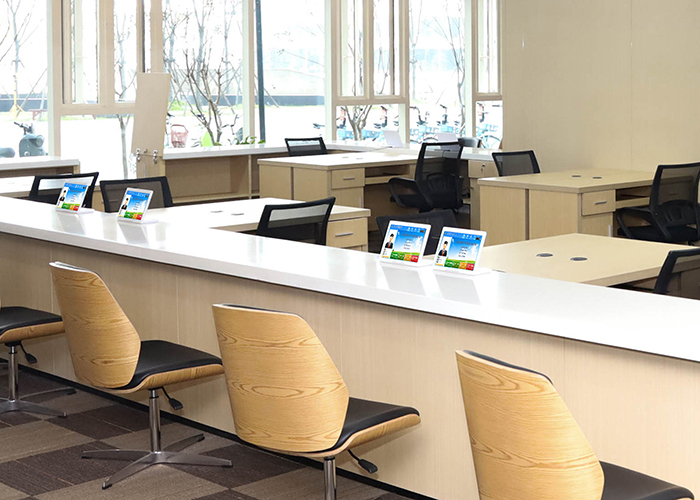
The Counter Evaluation Interaction Module is primarily based on the counter evaluation terminal, which is installed at each service counter. This device displays staff information, shows the counter status, and enables screen capturing or live-streaming of the workstation screen during the service process. Once the service is completed, users can evaluate the service through this device.
- Displays counter staff information on the interaction terminal after login.
- Displays the called number during calling, and shows service guide information when processing begins.
- Supports pushing screenshots to the device, or live-streaming the workstation screen.
- Automatically times out if no evaluation is submitted.
- Supports audio and video recording during the service process.

Information Publishing Module
Administrators use this module for centralized content publishing across devices such as counter displays, integrated displays, large LED screens, self-service inquiry terminals, and video walls. It supports video, images, and text, allowing administrators to edit, review, and retrieve content for unified management.
- Provides management of text, image, audio, and video assets.
- Supports providing different display interfaces and program schedules for different terminals.
- Compatible with LCD all-in-one terminals, full-color LED displays, and video walls.
- Supports emergency broadcast override.
Unified Appointment Module
Service halls often experience long queues, which not only makes the hall unbearably noisy but also reduces processing efficiency and increases the waiting time for service users. Through the WeChat Official Account and mobile APP, the public can book appointments for relevant matters. This not only reduces the on-site waiting time for service users after arrival but also reduces the workload for staff, alleviates queuing pressure at service counters, and fosters a relaxed service environment.
- Provides appointment rule settings, including designated time slots and the corresponding ticket allocation rules, etc.
- Supports blacklist management for no-shows.
- Provides a post-appointment approval function.
- Supports system integration with SMS gateways, WeChat Official Accounts, or APP clients.
- Provides notifications such as appointment confirmation reminder, 1-day prior reminder, 2-hour prior reminder, check-in reminder, and no-show reminder.
